

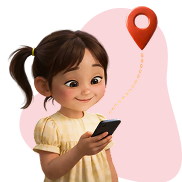





Why This Matters For Your Family

When your child downloads an app from the Google Play Store or Apple App Store, you see star ratings only for the individual app — not the developer’s full risk profile.
child-img1

Location Surveillance Risk

Developers can track precise location through app permissions and broadcasting precise GPS coordinates to data brokers in the ad ecosystem without obtaining parental consent.

child-img2

Undisclosed Third Parties

High rates of ad fraud in apps signal malicious - and often undisclosed - third-party integrations that may harvest your child's personal information.

child-img3

No Parental Consent

Many developers bypass mandatory safety checkpoints, collecting personal information from children without ever notifying parents or obtaining the necessary legal permission under COPPA.


Ask AI About App Safety
(It’s Fast!)

The KYD database is also available via Pixalate’s custom tool within ChatGPT.
Use these prompts to check any app developer quickly.
Quick Safety Check
“Using Pixalate’s KYD database, what child safety and privacy risk signals are associated with King, the developer of Candy Crush?”
Location Tracking
"Using Pixalate's KYD, does Zynga Inc. have apps that track location data?"
Privacy Compliance
"Check Pixalate KYD: Does Subway Surfer's developer, SYBO Games, have proper privacy policies and parental consent?"
Developer History
"Search Pixalate's KYD for Supersonic Studios LTD. Have they had any apps removed from app stores?"

How Pixalate Rates App
Developers

We evaluate every ad-funded Google Play Store and Apple App Store app developer across critical safety categories — and update the database monthly.
Identity Accessibility Icon

Identity Accessibility

Is the developer identifiable? Do they provide contact information or hide behind anonymous registrations?

icon-shield

Child Privacy Compliance (COPPA)

Does the developer have accessible privacy policies? Do likely child-directed apps have parental consent mechanisms?

icon-location-pin

Location Surveillance

Do the developer's apps request location permissions that could track children's movements? Are precise geolocation coordinates broadcast to advertisers and data brokers?

icon-history

App
History

Has the developer had apps removed from stores? Do they have abandoned apps with no updates in 3+ years?

icon-connection

Advertiser
Safety

Is the developer linked to invalid traffic or ad fraud, which increases risk of undisclosed data sharing?

Who Uses Know Your Developer?

KYD is designed for anyone who needs to make informed decisions about the apps children can use.
audience-icon-1

For Parents & Families

Before downloading any app for your child, check the developer's safety record. See their complete portfolio, not just one app's star rating.

  • Verify parental consent mechanisms are in place
  • Check if the developer has a history of privacy violations
  • See if their apps track your child's location & share precise geolocation coordinates with third parties
audience-icon-2

For Schools & Educators

Vet developers before approving apps for classroom use and protect student data from unauthorized collection.

  • Screen apps before allowing them on school devices
  • Identify developers with poor safety track records
  • Document due diligence for compliance requirements
audience-icon-3

For Advertisers & Platforms

Vet supply partners before revenue takes a hit. Filter high-risk developers from your ad inventory.

  • Block developers with COPPA violation risk
  • Identify and exclude invalid traffic sources
  • Protect brand reputation from association with high-risk developer
audience-icon-4

For Civil Liberty Advocates

Identify developers with a high risk of regulatory breaches and support investigations with data-backed evidence.

  • Flag developers transmitting precise geolocation data
  • Track developers failing to obtain Verifiable Parental Consent (VPC)
  • Advocate for stronger legislation using aggregate data on privacy violations

Tips for Protecting Your Children

A few simple habits can significantly reduce your child’s risk online.
01

Search App Developer

Make it a routine: before adding any new app, search the developer on KYD. It takes 30 seconds and can reveal risks that star ratings don't show.

02

Turn Off App Location Permission

Go through your child's installed apps and check which ones have location access. Ask yourself: Does a puzzle game really need to know where my child lives?

03

Look at the Developer, Not Just the App

Check for pattern problems One app with location permissions is one thing, but all 10 apps in a children’s game developer portfolio requesting precise location and sharing geolocation coordinates with third parties is another.

04

Watch for Abandoned Apps

Apps that haven't been updated in years may have security vulnerabilities. Check if the developer is actively maintaining their products.

05

Trust Your Instincts

If a developer hides their identity or lacks a privacy policy, that's a red flag. There's always an alternative app from a more transparent developer.

06

Talk to Your Kids

Explain why you're checking apps together. When children understand the "why," they become partners in their own safety.

Start Protecting Your Family Today

The KYD database is free, updated monthly, and takes seconds to search.
Know before they download.

Schedule a Demo

Interested in learning more about Pixalate’s ad fraud prevention solutions? Let’s connect. Share your challenges, and our team will be in touch shortly. Thank you for reaching out.